
How to Split PDF Pages Online: Extracting Specific Pages Safely
Learn how to split a large PDF document or extract specific pages entirely within your web browser, keeping your data confidential.
🔧 Interactive Utility Tool
Try the free, 100% secure client-side tool associated with this guide. No registration required.
How to Split PDF Pages Online: Extracting Specific Pages Safely
Managing digital documents requires strict compliance with formatting and font subsets. Here is a direct definition of this standard.
PDF (Portable Document Format) is a digital document standard designed to preserve formatting across all devices. Modern PDF operations utilize local browser APIs to merge, split, or secure pages without server uploads, protecting document data.
In digital document management, you often need to extract a single section, split a combined document into individual sheets, or remove unwanted pages from a PDF. Just like merging, uploading files to external converters to split them compromises document security.
In this guide, we'll explain how client-side PDF page extraction works, detail the browser execution flow, and show you how to split your files safely.
Product-Led CTA: Uploading sensitive contracts to cloud services poses severe privacy risks. Use our free, local Merge PDF Documents Tool or Split PDF Pages Tool to compile and split pages safely in memory.
🔒 Safe PDF Extraction Mechanics
Client-side PDF splitting relies on reading the file structure as a binary byte array directly inside the browser. When you specify page ranges (e.g. 1-5, 12):
1. The browser reads the PDF catalog metadata to map out individual page trees.
2. It copies only the references for the requested page indices into a new, separate PDF container.
3. It rebuilds the cross-reference (xref) tables locally, compiling a smaller PDF.
4. The browser initiates a local download stream. No server interaction takes place.
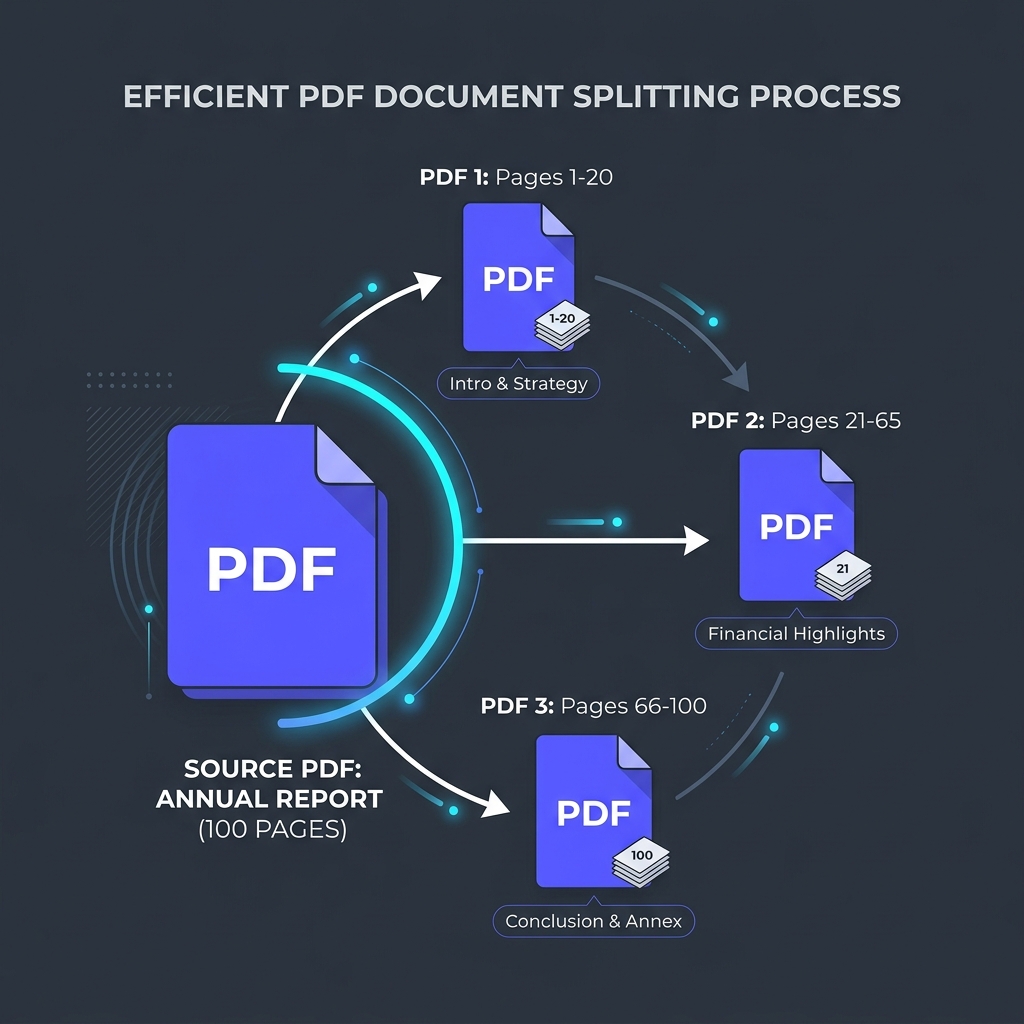
📊 Client-Side PDF Splitting Diagram
Below is a flow diagram illustrating how a single source file is processed and split into individual page-range outputs entirely within the browser container:
🛠️ Implementing Client-Side PDF Splitting in JavaScript
Developers can implement local page extraction using the following standard template:
⚡ Quick Action: Use the Online Tool
This guide pairs with our free, 100% secure client-side utility tool. Process your files or text instantly in-browser.
```javascript import { PDFDocument } from 'pdf-lib';
async function extractPages(srcPdfBytes, pageRanges) { // Load the source document const srcPdf = await PDFDocument.load(srcPdfBytes);
// Create a new blank PDF container const newPdf = await PDFDocument.create();
// Resolve your page ranges (e.g. converting "1-3" to index [0, 1, 2]) const targetIndices = parseRangeToIndices(pageRanges, srcPdf.getPageCount());
// Copy only the specified pages const copiedPages = await newPdf.copyPages(srcPdf, targetIndices);
// Append copied sheets to the new container copiedPages.forEach((page) => newPdf.addPage(page));
// Save and serialize the smaller PDF const resultPdfBytes = await newPdf.save(); return resultPdfBytes; } ```
🚦 Choosing Your Document Workflow
Organizing your papers takes a few simple tools: * To separate pages: Use our browser-based Split PDF Pages Tool to extract specific sheets or split a book into chapters. * To join files together: Use our secure Merge PDF Documents Tool to combine multiple invoices or reports back into a single file.
To learn more about how we protect user security, check out our About Us Core Philosophy page.
Join the Urbandigistore Hub
Subscribe to receive premium developer cheat sheets, advanced conversion techniques, and campaign optimization checklists. Zero spam, unsubscribe anytime.
🚀 Launch Interactive Tool
Ready to test this directly? Open the secure web tool in a new sandbox tab.