
Why Social Media Character Limits Matter: Avoiding Message Truncation
Explore the official character limits for Twitter, Instagram, LinkedIn, and Google Search snippets, and learn how to optimize copy for readability.
🔧 Interactive Utility Tool
Try the free, 100% secure client-side tool associated with this guide. No registration required.
Why Social Media Character Limits Matter: Avoiding Truncation
Looking for a secure way to analyze and optimize your workflows? Here is a quick reference guide on the subject.
An SEO character counter tracks text lengths to ensure page titles and meta descriptions fit within search engine display thresholds. Keeping copy under target limits prevents truncation in search results.
Writing copy for digital channels requires balancing descriptive details with technical constraints. Each major platform—whether it's Twitter/X, Instagram, LinkedIn, or Google search results—enforces strict character limits. Exceeding these thresholds leads to message truncation, where key call-to-actions are hidden behind "Show More" buttons or chopped off with ellipses.
In this guide, we'll review the active limits per platform, explain truncation zones, and present a visual comparison grid.
⚡ Quick Action: Use the Online Tool
This guide pairs with our free, 100% secure client-side utility tool. Process your files or text instantly in-browser.
Product-Led CTA: Prevent search engines from cutting off your metadata. Use our free, real-time SEO Character Counter to audit copy lengths and preview character boundaries.
📊 Social Platform Character Budgets
Understanding where your text cuts off is key to design and click-through rates. Here is a visual guide detailing active limits per network:
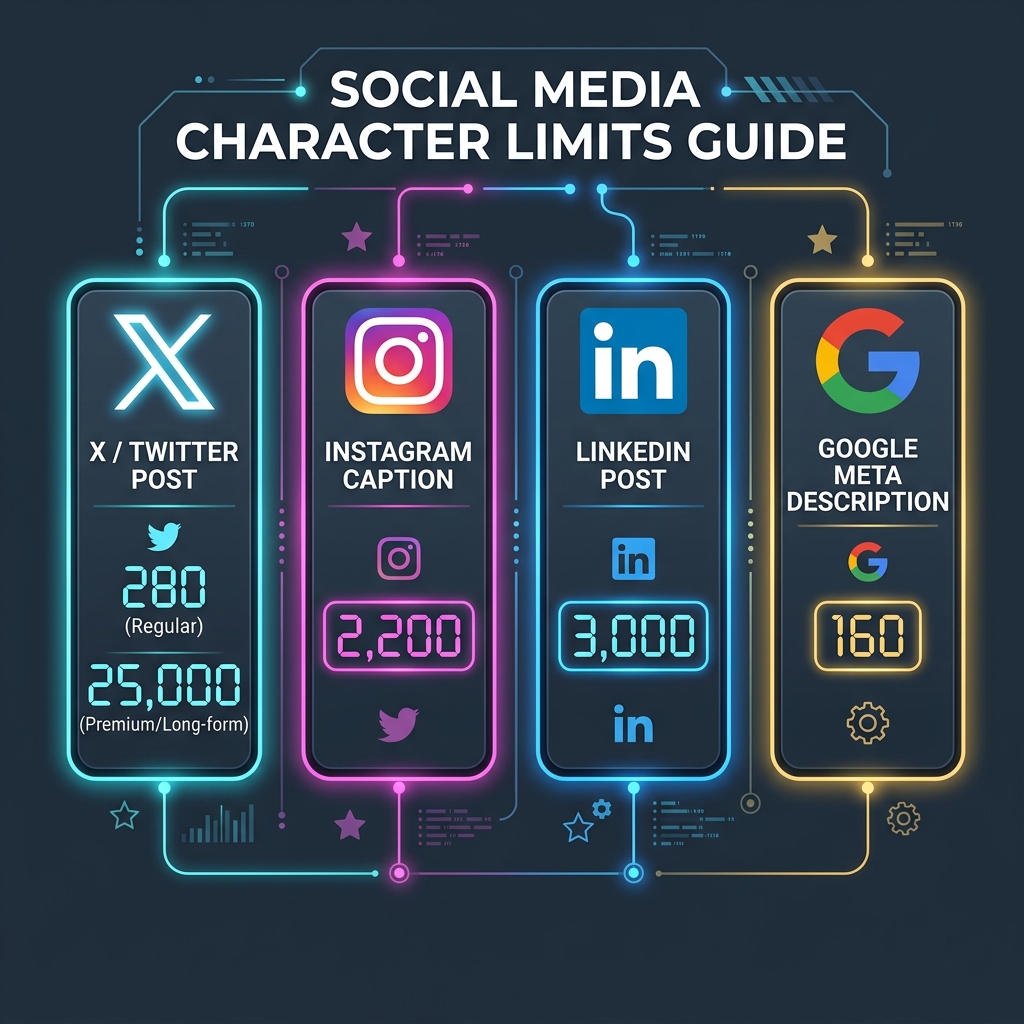
🐦 Twitter / X
- Standard Limit: 280 characters.
- Long-form (Premium): Up to 25,000 characters.
- Optimization Tip: Put your main hook and links in the first 140 characters, as engagement drops on longer expansions.
- Caption Limit: 2,200 characters.
- Truncation Point: ~125 characters (the text cuts off on user feeds, requiring a click on "...more").
- Optimization Tip: Place your primary value proposition and call-to-actions at the very beginning of the caption.
- Post Limit: 3,000 characters.
- Truncation Point: ~140 characters.
- Optimization Tip: Build curiosity in the first two lines to encourage users to click "see more," which registers as an engagement signal in the algorithm.
🔍 Google Search Snippets
- Meta Title: ~60 characters (exceeding this leads to title truncation in search results).
- Meta Description: ~155-160 characters.
- Optimization Tip: Exceeding these bounds won't penalize your site, but truncated text can lower organic search click-through rates.
🛠️ Best Practices for Formatting Copy
To ensure your messages load fully on all platforms: 1. Count Whitespace: Remember that carriage returns and spaces count as characters under official limits. 2. Audit Before Publishing: Use a client-side SEO Character Counter to verify limits and see visual progress indicators. 3. (For a deeper dive on meta description writing, see our SEO Character Counting Guide). 4. Shorten Campaign Links: Heavy URLs take up valuable character budget. Use a Campaign UTM Generator to keep parameters organized and clean.
Join the Urbandigistore Hub
Subscribe to receive premium developer cheat sheets, advanced conversion techniques, and campaign optimization checklists. Zero spam, unsubscribe anytime.
🚀 Launch Interactive Tool
Ready to test this directly? Open the secure web tool in a new sandbox tab.