
MP4 to MP3 Audio Extraction: Audio Demuxing and Bitrate Guidelines
Learn how to demux audio streams from MP4 video containers and transcode them into high-quality MP3 or WAV format client-side.
🔧 Interactive Utility Tool
Try the free, 100% secure client-side tool associated with this guide. No registration required.
MP4 to MP3 Audio Extraction: Demuxing and Bitrates
Managing media files requires converting between visual and auditory streams. Here is a guide on how audio extraction works.
An audio extractor is a utility that separates the auditory channel from a video container (such as MP4, MOV, or AVI). Decoded audio tracks are then compressed and saved as stand-alone audio files (such as MP3 or WAV).
Video files are multiplexed container formats that bundle visual and auditory tracks into a single stream. To save the audio, the container must be demuxed (demultiplexed) and the audio stream transcoded into a standalone audio file.
Product-Led CTA: Do not upload large video files to slow, unsecured cloud servers. Use our free, local MP4 to MP3 Converter to extract audio tracks entirely within your browser tab.
⚡ Quick Action: Use the Online Tool
This guide pairs with our free, 100% secure client-side utility tool. Process your files or text instantly in-browser.
⚙️ Understanding Demuxing and Transcoding
When extracting audio from video files, the process involves two distinct stages:
- Demultiplexing (Demuxing): The video file container (e.g.,
.mp4or.mov) is parsed to separate the auditory bitstream (usually formatted as AAC or AC3) from the video track. - Transcoding: The audio bitstream is decoded into raw PCM wave data and then passed to an encoder (such as LAME) to write a compressed
.mp3file at your desired bitrate (e.g., 320 kbps).
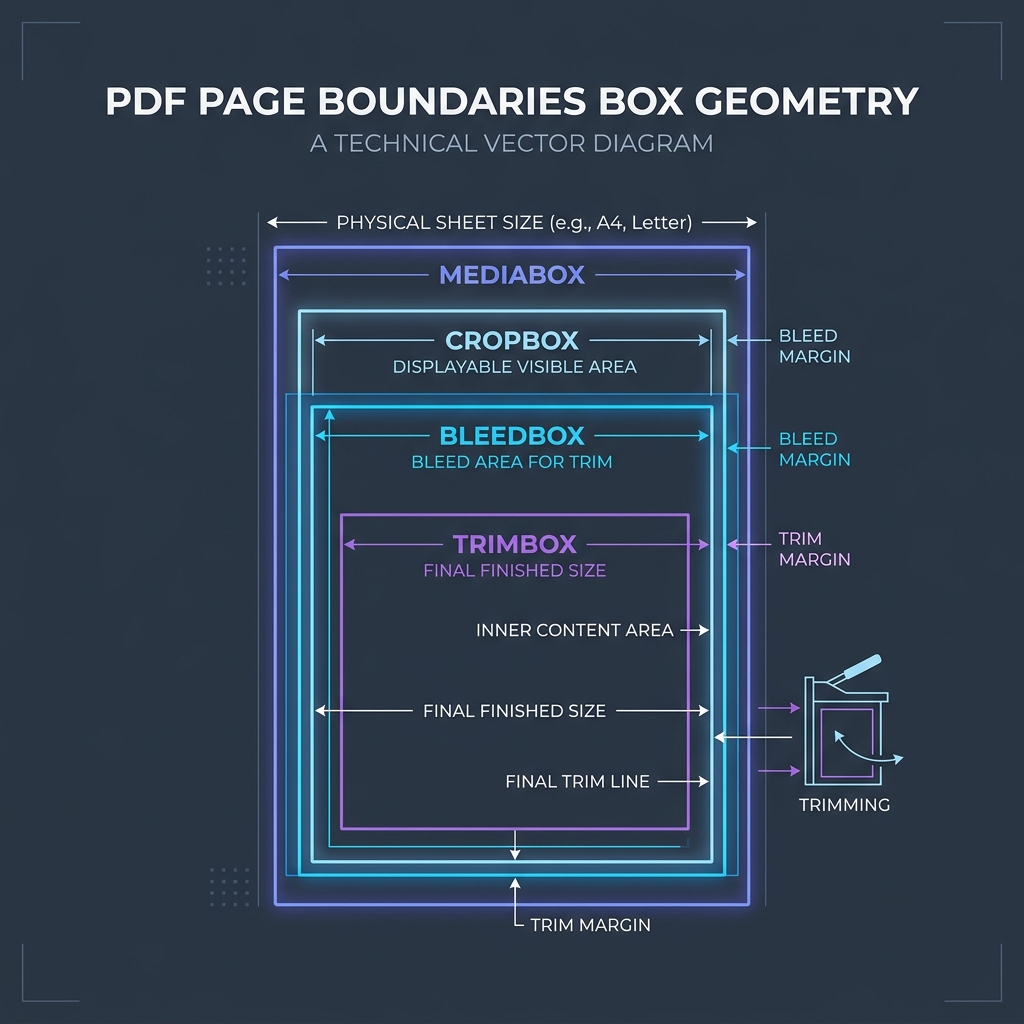
📊 Document Layout Reference
Below is a document layout diagram illustrating standard page boundaries:
🛡️ Sizing Audio Bitrates
For optimal audio quality and file size balance: * 128 kbps: Standard quality. Ideal for podcasts and voice recordings, keeping files very small. * 192 kbps: Medium quality. Good for general music listening. * 320 kbps: Maximum MP3 quality. Preserves high-fidelity transients for professional audio. * Read HEIC Compression Standards and Lossy vs Lossless Compression to learn more. * Extract files locally without server-side latency using our secure MP4 to MP3 Converter.
Join the Urbandigistore Hub
Subscribe to receive premium developer cheat sheets, advanced conversion techniques, and campaign optimization checklists. Zero spam, unsubscribe anytime.
🚀 Launch Interactive Tool
Ready to test this directly? Open the secure web tool in a new sandbox tab.