
Understanding PDF Page Splitting: Range Syntax and Extraction Math
Discover the underlying mechanisms that parse user page ranges and extract PDF pages securely inside your web browser.
🔧 Interactive Utility Tool
Try the free, 100% secure client-side tool associated with this guide. No registration required.
PDF Page Splitting: Range Syntax and Extraction Math
Managing digital documents requires strict compliance with formatting and font subsets. Here is a direct definition of this standard.
PDF (Portable Document Format) is a digital document standard designed to preserve formatting across all devices. Modern PDF operations utilize local browser APIs to merge, split, or secure pages without server uploads, protecting document data.
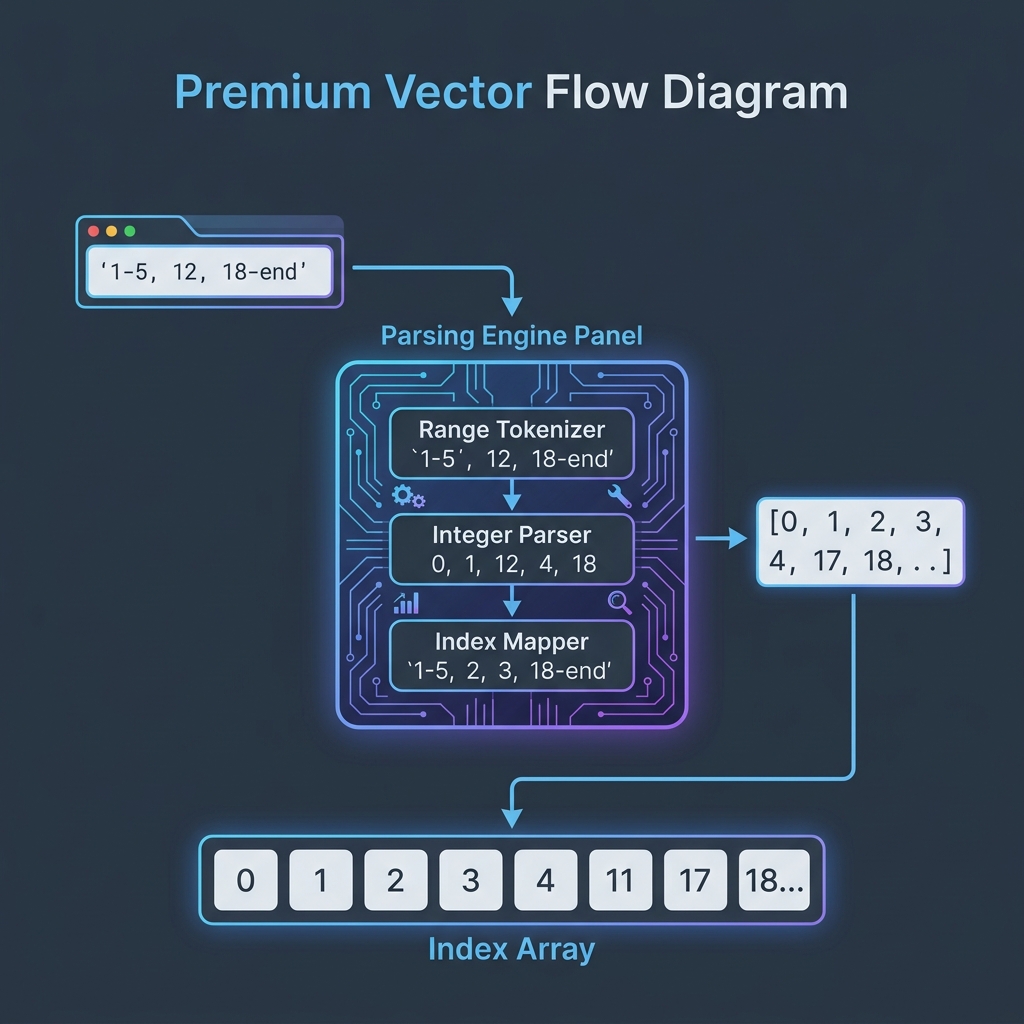
When using utility applications to extract pages from a document, users expect flexible range filters. For example, entering 1-5, 12, 18-end should split only the matching pages. Handling this requires a string parsing engine that translates ranges into structured array offsets, which are then passed to browser binary page manipulation libraries.
In this guide, we'll cover the tokenizer algorithms, trace the array mapping, and inspect the client-side parsing logic.
Product-Led CTA: Uploading sensitive contracts to cloud services poses severe privacy risks. Use our free, local Merge PDF Documents Tool or Split PDF Pages Tool to compile and split pages safely in memory.
⚙️ The Parsing Engine Architecture
Resolving range strings to page indices involves three main steps:
- Tokenization: Splitting the input string by commas to isolate individual segments.
- Normalization: Parsing each token to detect single pages, page ranges (using hyphens), or keyword bounds like
end. - Index Resolution: Converting human-readable 1-indexed numbers into 0-indexed JavaScript array offsets.
📊 Range Parsing and Page Mapping Flow
Below is a flow diagram illustrating how a user range input string is tokenized and resolved to page offsets:
⚡ Quick Action: Use the Online Tool
This guide pairs with our free, 100% secure client-side utility tool. Process your files or text instantly in-browser.
💻 Coding a Custom Range Parser
Here is the exact JavaScript parsing function used to convert range inputs into numeric page indexes:
```javascript function parseRangeToIndices(rangeStr, totalPages) { const indices = []; // Tokenize by comma const segments = rangeStr.split(',');
for (let segment of segments) { segment = segment.trim().toLowerCase();
if (segment.includes('-')) {
  // Parse range token (e.g. "18-end" or "1-5")
  const [startStr, endStr] = segment.split('-');
  let start = parseInt(startStr, 10);
  let end = endStr === 'end' ? totalPages : parseInt(endStr, 10);

  if (isNaN(start)) start = 1;
  if (isNaN(end)) end = totalPages;

  // Convert to 0-indexed array offsets
  for (let i = start; i <= end; i++) {
    if (i >= 1 && i <= totalPages) {
      indices.push(i - 1);
    }
  }
} else {
  // Parse single page token (e.g. "12")
  const pageNum = segment === 'end' ? totalPages : parseInt(segment, 10);
  if (!isNaN(pageNum) && pageNum >= 1 && pageNum <= totalPages) {
    indices.push(pageNum - 1);
  }
}
}
// Sort and remove duplicates return [...new Set(indices)].sort((a, b) => a - b); } ```
🚦 Choosing Your Document Tool
Managing file pages locally is secure and fast: * To separate pages: Use our browser-only Split PDF Pages Tool to input ranges and extract segments. * To join files together: Use our secure Merge PDF Documents Tool to compile pages back into a single file.
For detailed security mechanics, read our guide on Secure Client-Side PDF Splitting.
Join the Urbandigistore Hub
Subscribe to receive premium developer cheat sheets, advanced conversion techniques, and campaign optimization checklists. Zero spam, unsubscribe anytime.
🚀 Launch Interactive Tool
Ready to test this directly? Open the secure web tool in a new sandbox tab.