
Understanding PDF Security: Encryption, Owner Passwords, and Permissions
Learn how PDF encryption protects file contents, discover the difference between user and owner passwords, and explore how to secure documents.
Understanding PDF Security: Encryption & Permissions
Managing digital documents requires strict compliance with formatting and font subsets. Here is a direct definition of this standard.
PDF (Portable Document Format) is a digital document standard designed to preserve formatting across all devices. Modern PDF operations utilize local browser APIs to merge, split, or secure pages without server uploads, protecting document data.
PDF is the standard format for sharing corporate reports, medical records, and legal contracts. Because PDF files frequently contain confidential data, understanding the underlying PDF Security Model is essential. Developers and security auditors must know how files are encrypted and how to manage access permissions to prevent unauthorized printing, editing, or duplication.
In this guide, we'll explain PDF encryption, differentiate between user and owner passwords, and display a visual layout of document locks.
Product-Led CTA: Uploading sensitive contracts to cloud services poses severe privacy risks. Use our free, local Merge PDF Documents Tool or Split PDF Pages Tool to compile and split pages safely in memory.
🔒 PDF Encryption Standards
The PDF specification supports encrypting document payloads using standard symmetric cryptographic algorithms. When a PDF is encrypted, its page content stream, structural cross-reference index, and metadata catalog are scrambled:
- RC4: A legacy encryption algorithm. Highly vulnerable and deprecated in modern PDF reader software.
- AES-128: Introduced in PDF 1.6. Provides strong baseline security.
- AES-256 (Revision 6): Introduced in PDF 1.7 / Acrobat 9. The modern standard. Highly secure, resistant to brute-force attacks when used with long passwords.
📊 User vs. Owner Passwords Infographic
The PDF security model supports two different passwords, each serving a unique access function:
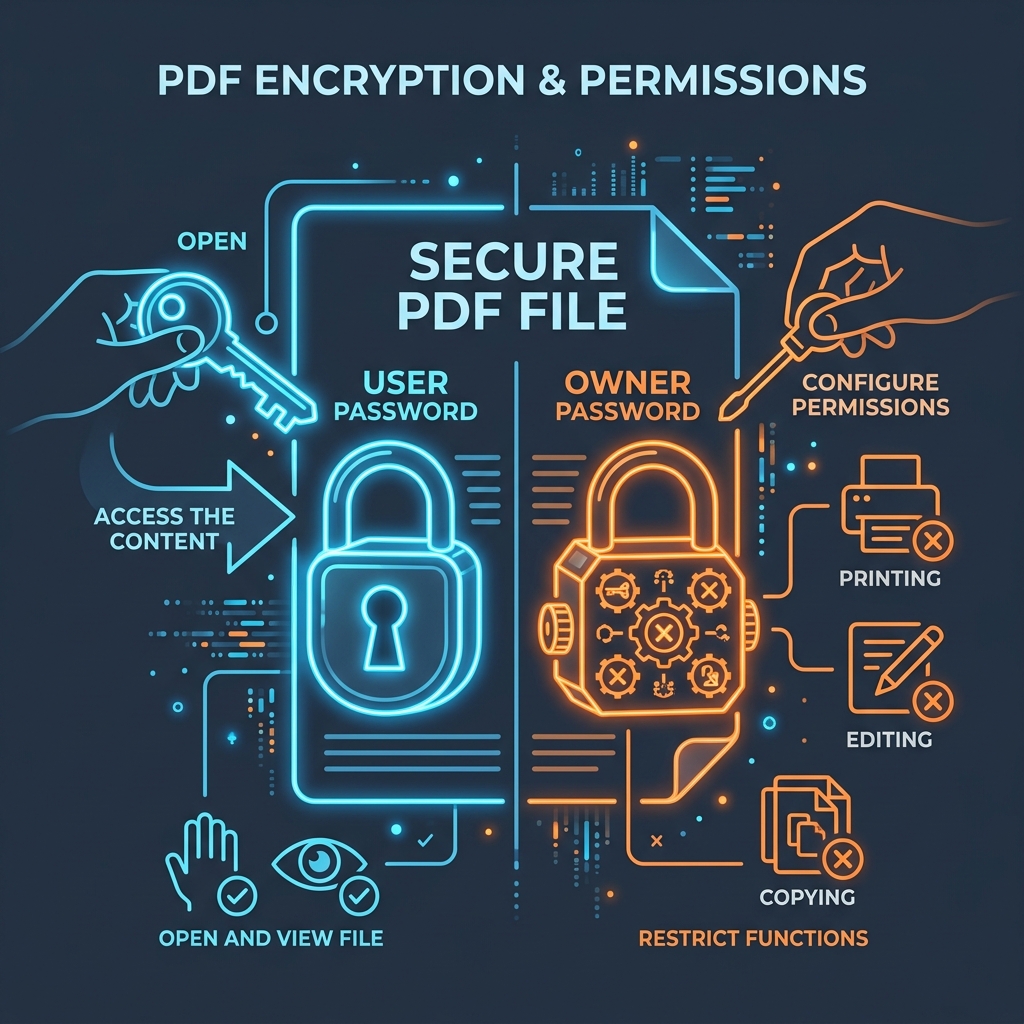
🔑 1. User Password (The Open Password)
The user password is required to decrypt and view the document content. If you open a PDF and a prompt asks for a password to see the page, the file is secured with a user password. Without this password, the content streams remain encrypted.
⚙️ 2. Owner Password (The Permissions Password)
The owner password does not restrict viewing. Instead, it restricts permissions inside the document. It dictates whether the browser or PDF reader will allow users to: * Print the document (either high-resolution or draft only). * Copy text or extract graphics. * Modify document contents (fill forms, add comments, or rotate pages). * (If you want to split pages of a secure file, check out our guide on Client-Side PDF Splitting or merge files together with the PDF Merger tool).
🛡️ Generating High-Entropy PDF Passwords
If you need to generate strong owner or user passwords to encrypt your files, avoid repeating dictionary words. Use our browser-based Secure Password Generator to create high-entropy passwords. Since the generation uses the native Web Crypto API, all key calculations occur locally on your machine. You can read our Privacy Policy to learn about our browser-only processing guarantees.
Join the Urbandigistore Hub
Subscribe to receive premium developer cheat sheets, advanced conversion techniques, and campaign optimization checklists. Zero spam, unsubscribe anytime.