
WhatsApp Link Generator: Click-to-Chat SMS and Email Fallback Strategies
Discover how to structure WhatsApp click-to-chat links as transactional fallbacks inside SMS and email campaigns.
🔧 Interactive Utility Tool
Try the free, 100% secure client-side tool associated with this guide. No registration required.
WhatsApp Link Generator: SMS and Email Fallbacks
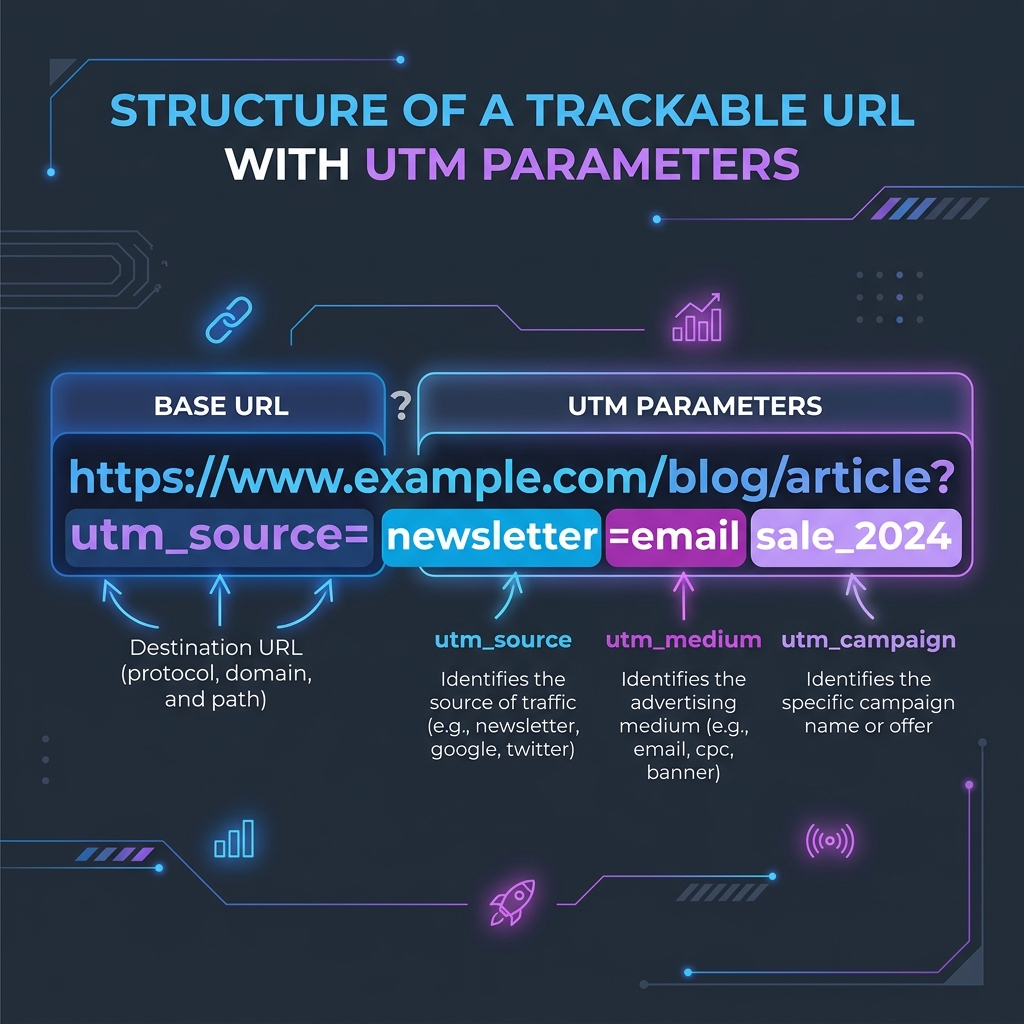
Deploying campaigns across ad networks requires custom tracking links. Here is how parameters are structured.
A WhatsApp link builder is a marketing utility that formats phone numbers with country prefixes into direct wa.me chat URLs. This enables users to start an instant chat without saving numbers.
For modern digital marketers, improving communication fallback success is key. Combining a WhatsApp Link Generator with transactional SMS or email campaigns allows you to offer direct-to-chat options when users fail to complete high-priority actions like email verifications or order checkouts.
Product-Led CTA: Formatting wa.me URLs manually is slow and leads to errors like missing prefixes. Use our free, browser-based WhatsApp Link Generator to generate campaign links instantly.
⚡ Quick Action: Use the Online Tool
This guide pairs with our free, 100% secure client-side utility tool. Process your files or text instantly in-browser.
📐 Formatting Fallback Click-to-Chat Links
To implement click-to-chat fallbacks inside automated campaigns:
1. Format the URL: Structure the wa.me link with country dial prefixes and a pre-filled transaction message (e.g., https://wa.me/15550192834?text=Hi!%20I'm%20having%20trouble%20verifying%20my%20account).
2. Shorten the URL: Use a custom shortener to keep the character count minimal inside SMS messages.
3. Track Referral Traffic: Include campaign UTM parameters in your WhatsApp message templates to log conversions inside Google Analytics.
📊 Campaign Attribution Flow Reference
Below is a campaign tracking layout demonstrating parameter structures and attribution flows:
🛡️ Best Practices for Multichannel Campaigns
To optimize direct-to-chat conversions: * Establish a Fallback Hierarchy: Try email first, then SMS, and finally WhatsApp direct chat to optimize messaging costs. * Set Clear Calls-to-Action: Phrase your link anchor text clearly (e.g., "Need help? Chat with support on WhatsApp"). * Read WhatsApp Naming Strategies and WhatsApp QR Print Campaigns to keep your analytics organized. * Generate your links instantly with our local WhatsApp Link Generator.
Join the Urbandigistore Hub
Subscribe to receive premium developer cheat sheets, advanced conversion techniques, and campaign optimization checklists. Zero spam, unsubscribe anytime.
🚀 Launch Interactive Tool
Ready to test this directly? Open the secure web tool in a new sandbox tab.