
Understanding PDF Font Embedding: Standard 14 Fonts vs. Fully Embedded Subsets
Discover how PDF font embedding and subsetting work, and learn how to prevent text rendering issues on target systems.
🔧 Interactive Utility Tool
Try the free, 100% secure client-side tool associated with this guide. No registration required.
PDF Font Embedding: Standard 14 vs. Embedded Subsets
Managing digital documents requires strict compliance with formatting and font subsets. Here is a direct definition of this standard.
PDF (Portable Document Format) is a digital document standard designed to preserve formatting across all devices. Modern PDF operations utilize local browser APIs to merge, split, or secure pages without server uploads, protecting document data.
One of the core promises of the Portable Document Format (PDF) is that a document should look identical on any device. However, if a PDF uses custom fonts that are not embedded in the file, target devices may substitute them with default system fonts (like Arial or Times New Roman), disrupting margins and causing layout overlaps.
In this guide, we'll explain how PDF viewers locate fonts, compare standard fonts with embedded subsets, and analyze font descriptors.
Product-Led CTA: Uploading sensitive contracts to cloud services poses severe privacy risks. Use our free, local Merge PDF Documents Tool or Split PDF Pages Tool to compile and split pages safely in memory.
🏛️ How PDF Viewers Handle Fonts
When a PDF viewer renders text, it parses the font dictionaries associated with the page content stream:
📦 1. The Standard 14 Fonts
The original PDF specification defines 14 standard PostScript fonts (including Helvetica, Times, Courier, and Symbol) that all PDF reader software must natively support. * Optimization: Because readers are guaranteed to have these fonts, creators can omit embedding them to reduce file size. * Limitation: If a device lacks the exact version of the font, slight dimension variations can still occur.
⚡ Quick Action: Use the Online Tool
This guide pairs with our free, 100% secure client-side utility tool. Process your files or text instantly in-browser.
📦 2. Full Font Embedding
Includes the entire font file (TrueType or OpenType) inside the PDF payload. * Result: The document renders perfectly on any machine, but the file size increases significantly (often by several megabytes per font family).
📦 3. Font Subsetting (Recommended)
Embeds only the specific characters used in the document rather than the entire glyph library. For example, if a document only uses the characters A, B, C, only those three glyphs are stored in the embedded font subset.
* Result: Guarantees perfect rendering while saving up to 90% of font overhead storage.
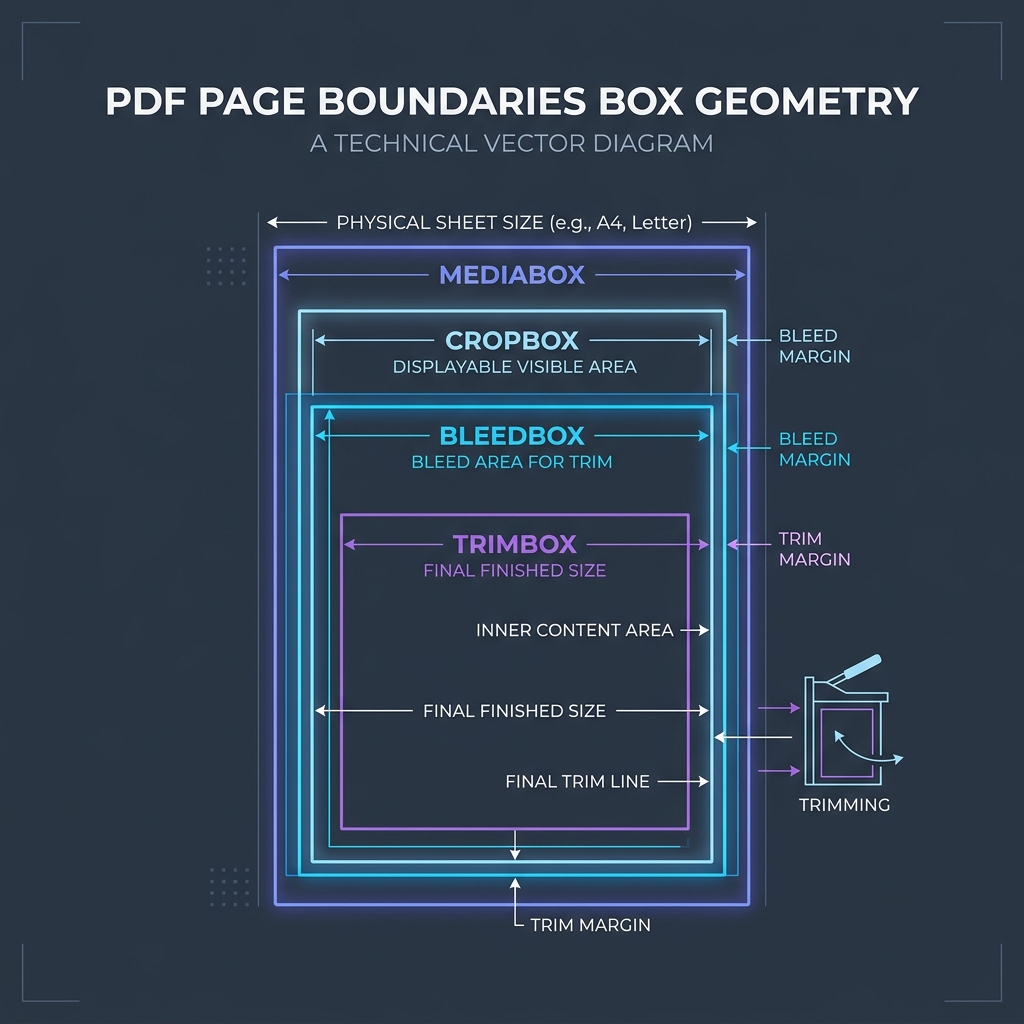
📊 Document Layout Geometry Reference
To understand page coordinate dimensions where text characters and subset metrics are mapped, refer to the page boxes diagram below:
⚙️ Analyzing Font Descriptors
When custom fonts are subsetted, the PDF encoder generates a unique prefix (like AAAAAA+MyFont) and appends a Font Descriptor object (/FontDescriptor). This dictionary specifies the font’s properties, such as its ascending/descending bounds, italic angle, and character width maps (/Widths), allowing readers to render text even if the font file becomes corrupted.
🚦 Streamlining Your PDF Assembly
To manage document layouts without losing font configurations: * To join documents together: Use our client-side Merge PDF Documents Tool which aggregates pages locally without sending files to external servers. * To extract pages: Use our browser Split PDF Pages Tool to extract target pages while preserving optimized font subsets.
To learn more about document dimensions, read Understanding PDF Document Margins or check out Understanding PDF Font Embedding & Subsetting.
Join the Urbandigistore Hub
Subscribe to receive premium developer cheat sheets, advanced conversion techniques, and campaign optimization checklists. Zero spam, unsubscribe anytime.
🚀 Launch Interactive Tool
Ready to test this directly? Open the secure web tool in a new sandbox tab.