
Understanding PDF Structural Security: Owner Passwords vs. User Passwords
Discover the difference between PDF User and Owner passwords, and learn how to manage document viewing, editing, and printing permissions.
🔧 Interactive Utility Tool
Try the free, 100% secure client-side tool associated with this guide. No registration required.
Understanding PDF Password Security: User vs. Owner Passwords
Managing digital documents requires strict compliance with formatting and font subsets. Here is a direct definition of this standard.
PDF (Portable Document Format) is a digital document standard designed to preserve formatting across all devices. Modern PDF operations utilize local browser APIs to merge, split, or secure pages without server uploads, protecting document data.
PDF files support built-in security features that control who can view, print, copy, or edit a document. To enforce these permissions, the PDF standard uses two distinct types of passwords: User Passwords and Owner Passwords.
Product-Led CTA: Uploading sensitive contracts to cloud services poses severe privacy risks. Use our free, local Merge PDF Documents Tool or Split PDF Pages Tool to compile and split pages safely in memory.
🔐 User Passwords vs. Owner Passwords
To secure a PDF document, it is important to understand the role of each password:
⚡ Quick Action: Use the Online Tool
This guide pairs with our free, 100% secure client-side utility tool. Process your files or text instantly in-browser.
| Password Type | Primary Function | Access Level |
|---|---|---|
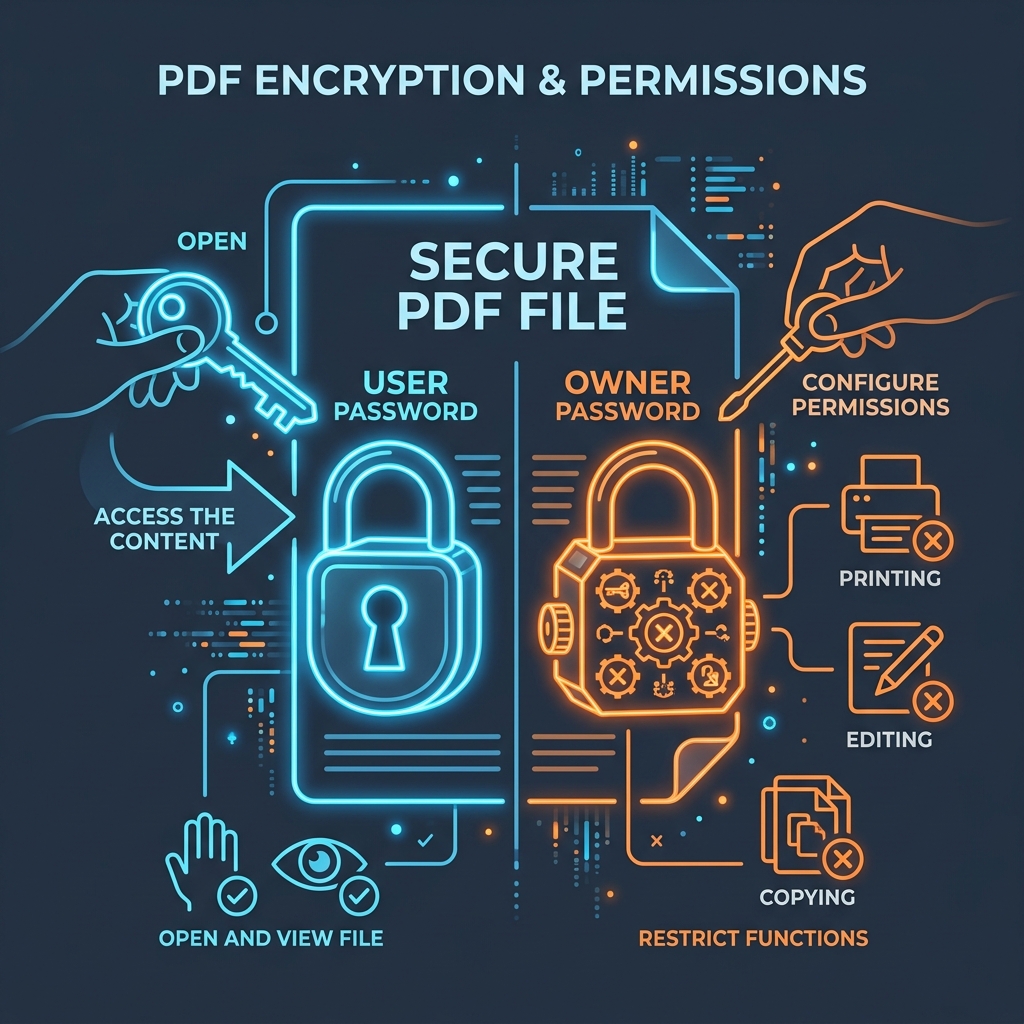
| User Password (Document Open) | Restricts document viewing. | User must enter this password to decrypt and open the file. |
| Owner Password (Permissions) | Restricts printing, copying, and editing. | Allows editing the security settings and changing permission flags. |
If a PDF has an Owner password but no User password, anyone can open and view the document, but they cannot print or edit the content without entering the Owner password.
📊 PDF Security Lock Structure
Below is an infographic illustrating how permission filters block unauthorized actions on secured documents:
⚙️ Permission Flags (Bitmask Settings)
At the structural level, PDF security uses a 32-bit permission integer to set document rules. PDF readers check this integer to determine which features to enable: * Printing: Can be set to none, low-resolution, or high-resolution. * Content Copying: Restricts text and image extraction. * Document Assembly: Controls whether users can rotate, insert, or delete pages.
🛠️ Secure Document Assembly
To manage pages without compromising document security: * Read Understanding PDF Security & Encryption and Understanding PDF Security & Permissions to learn more. * Use our client-side Merge PDF tool to combine unsecured PDFs locally, or Split PDF pages to organize layouts safely.
Join the Urbandigistore Hub
Subscribe to receive premium developer cheat sheets, advanced conversion techniques, and campaign optimization checklists. Zero spam, unsubscribe anytime.
🚀 Launch Interactive Tool
Ready to test this directly? Open the secure web tool in a new sandbox tab.