
Understanding PDF Security Permissions: Managing Print, Edit, and Extract Restrictions
Learn how PDF permission bit flags restrict printing, copying, and editing, and discover how to secure documents using owner keys.
PDF Security Permissions: Managing Print & Copy Restrictions
Managing digital documents requires strict compliance with formatting and font subsets. Here is a direct definition of this standard.
PDF (Portable Document Format) is a digital document standard designed to preserve formatting across all devices. Modern PDF operations utilize local browser APIs to merge, split, or secure pages without server uploads, protecting document data.
When sharing sensitive corporate reports, contracts, or e-books, authors often want to restrict what recipients can do with the file. The PDF specification supports setting granular user permissions, allowing developers to block printing, prevent text extraction, and disable form modification.
In this guide, we'll explain the standard permission bit flags, differentiate key constraints, and analyze coordinate layouts.
Product-Led CTA: Uploading sensitive contracts to cloud services poses severe privacy risks. Use our free, local Merge PDF Documents Tool or Split PDF Pages Tool to compile and split pages safely in memory.
🏛️ Dictionaries and Permission Bit Flags
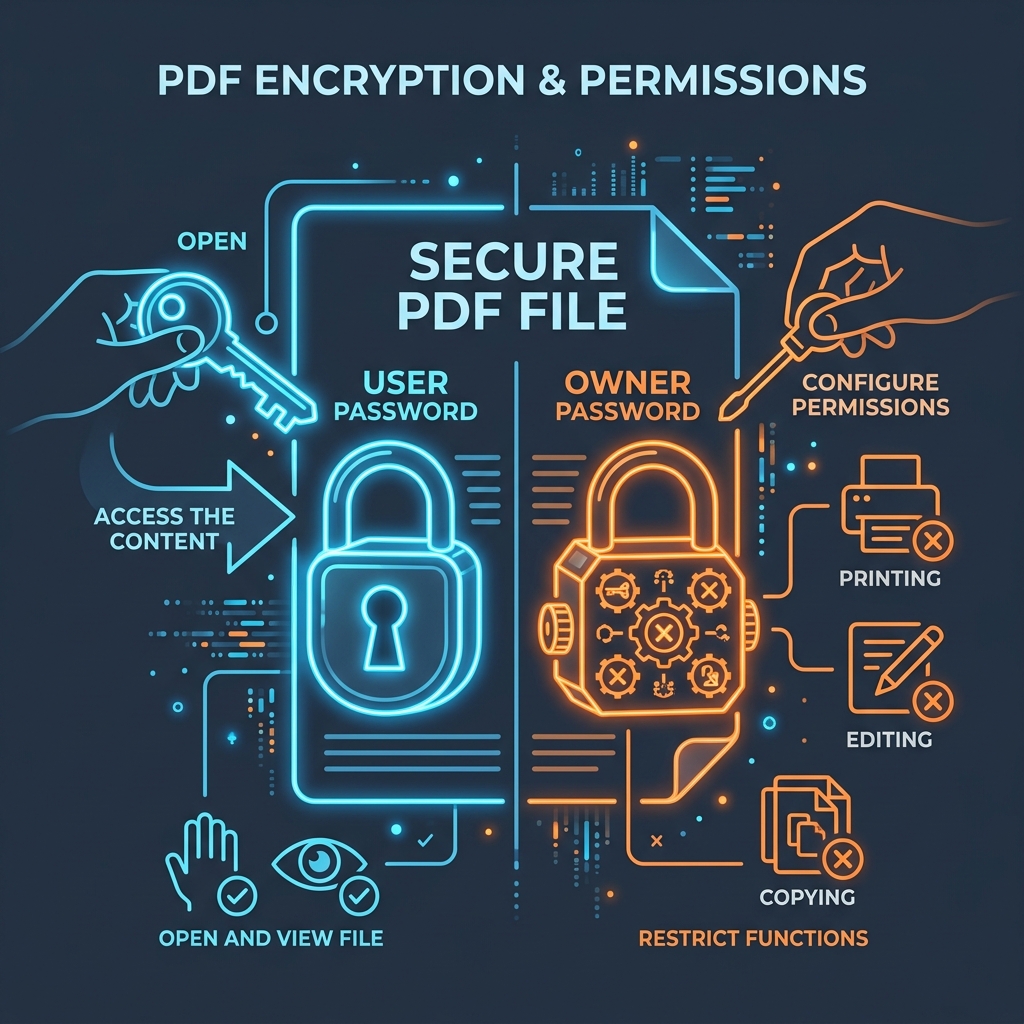
Granular PDF permissions are stored in the document's encryption dictionary under the /P (Permissions) entry. The /P key stores a 32-bit signed integer where each bit flag corresponds to a specific capability:
- Bit 3 (Print): If set to 0, the reader blocks printing.
- Bit 5 (Extract Text): If set to 0, copy/paste functionality is disabled, preventing users from copying paragraphs out of the document.
- Bit 6 (Edit Content): If set to 0, recipients cannot modify page streams, annotations, or structure.
- Bit 9 (High-Resolution Print): Allows low-resolution draft printing but restricts high-resolution prints.
📊 Document Locks & Permissions Reference
Below is a layout detailing the difference between Owner and User passwords, showing where permission locks sit within the file security dictionary:
⚙️ Enforcement and Bypassing Restrictions
Permissions are enforced by PDF viewer applications (like Adobe Acrobat or web browsers):
- The Compliance Standard: When a compliant viewer loads an encrypted PDF with permission flags set, it disables the print and copy menus in the user interface.
- The Limitation: Because permissions rely on the reader software for enforcement, non-compliant or command-line parsers can bypass these restrictions easily. If an attacker parses the raw PDF stream with scripting tools, they can copy text or print pages regardless of the permission flags.
- To block extraction completely, you must encrypt the entire document payload using standard security. (Read our PDF Security Encryption Guide).
🚦 Streamlining Your PDF Assembly
Managing document permissions requires browser-side processing: * To join documents together: Use our client-side Merge PDF Documents Tool which aggregates permissions dictionaries locally. * To extract pages: Use our browser Split PDF Pages Tool to extract target pages while maintaining security profiles.
To learn more about page layouts, read Understanding PDF Document Margins or check out How to Split PDFs Locally.
Join the Urbandigistore Hub
Subscribe to receive premium developer cheat sheets, advanced conversion techniques, and campaign optimization checklists. Zero spam, unsubscribe anytime.