
Why Password Managers are Critical: Defending Against Brute Force and Reuse
Learn how password managers protect your credentials using zero-knowledge encryption, and discover why generating unique keys is essential.
🔧 Interactive Utility Tool
Try the free, 100% secure client-side tool associated with this guide. No registration required.
Why Password Managers are Critical for Modern Security
Securing user accounts requires state-of-the-art hashing algorithms and entropy measures. Here is how passwords are secured.
A cryptographic password is a secure key verified using hashing algorithms (like bcrypt) and unique random salt values. Checking password complexity entropy ensures the credentials resist modern high-speed brute-force attacks.
Most internet users reuse passwords across multiple websites. If a single forum or service suffers a database breach, hackers will immediately test those compromised email and password combinations across banking, social media, and retail sites. This automated attack method is known as Credential Stuffing.
The only effective defense against this threat is using a Password Manager to generate and store unique, high-entropy passwords for every single account.
In this guide, we'll explain how password managers operate, look at zero-knowledge encryption, and review credential security metrics.
⚡ Quick Action: Use the Online Tool
This guide pairs with our free, 100% secure client-side utility tool. Process your files or text instantly in-browser.
Product-Led CTA: Never reuse passwords or store them in unsafe web browsers. Generate high-entropy, cryptographically secure keys instantly using our secure, client-side Secure Password Generator.
🔒 Zero-Knowledge Encryption: How Your Data is Secured
Modern password managers use a zero-knowledge architecture. This means the service provider has no access to your stored passwords:
- Master Password: When you create an account, you set a master password. This password is never sent to the manager's servers.
- Key Derivation: The application uses PBKDF2 or Argon2 to derive a strong encryption key from your master password.
- Local Decryption: Your password vault is stored encrypted in the cloud, but it is downloaded and decrypted locally inside your device's memory.
- If the provider's servers are breached, hackers only steal encrypted blobs that are mathematically impossible to decrypt without your master password.
📊 Password Length and Entropy Reference
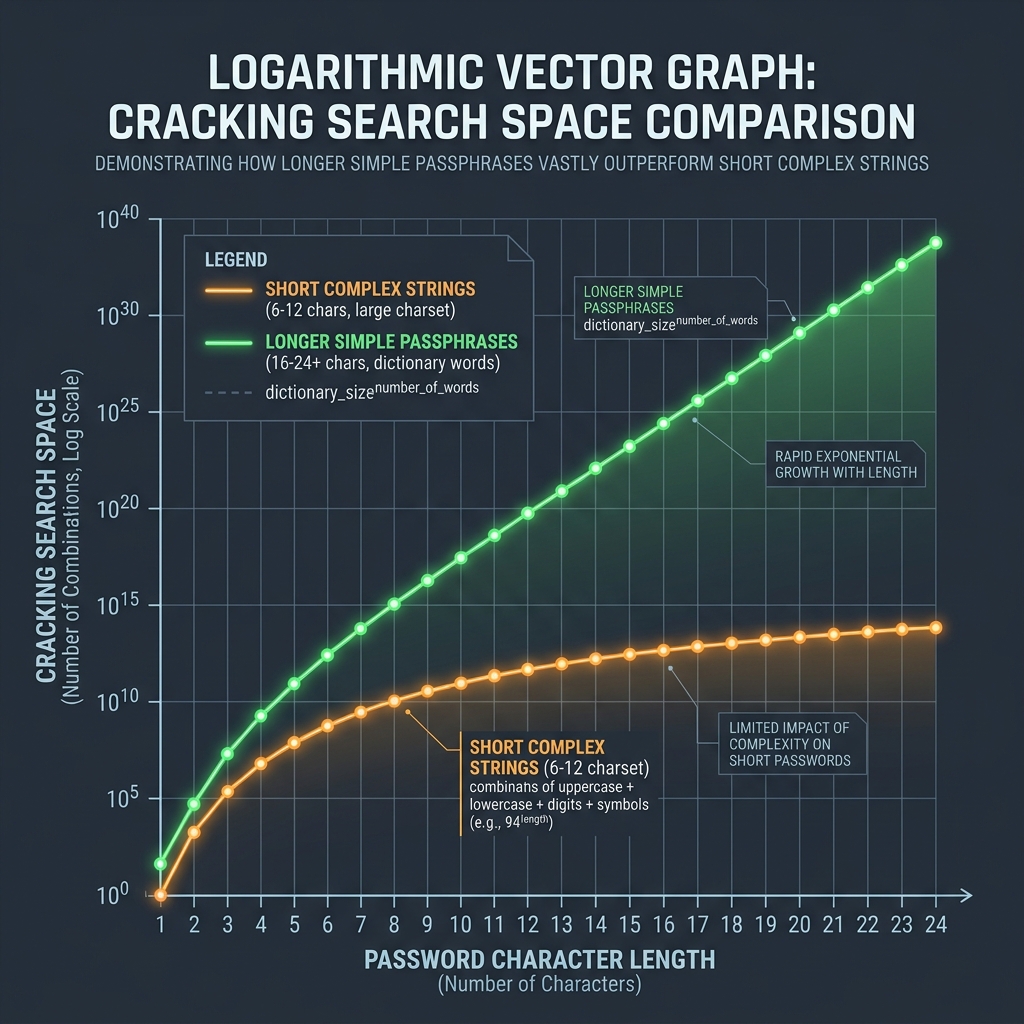
To ensure your master password is secure, prioritize length over character complexity. The logarithmic chart below illustrates how longer simple passphrases generate exponentially larger search spaces compared to short complex strings:
🛡️ Best Practices for Credential Security
Follow these three rules to secure your online presence:
- Make Your Master Password Long: Use 4 or 5 random dictionary words (e.g.
correct-horse-battery-staple) to create a high-entropy master key that is easy to remember but impossible to brute force. (Read our Password Length vs. Complexity Proof). - Audit Your Vault: Use the password manager's built-in tools to scan for reused or weak passwords and update them immediately.
- (Read our Password Entropy Calculations Guide to review bits mathematical formulas).
- Generate High-Entropy Keys: Use our browser-only Secure Password Generator to create custom keys. Since all calculations execute in client-side memory, your keys are never sent to a database. (Read our Privacy Policy for data safety guarantees).
Join the Urbandigistore Hub
Subscribe to receive premium developer cheat sheets, advanced conversion techniques, and campaign optimization checklists. Zero spam, unsubscribe anytime.
🚀 Launch Interactive Tool
Ready to test this directly? Open the secure web tool in a new sandbox tab.