
Demystifying QR Code Color Contrast: Guidelines for Scanning Reliability
Explore the mathematical reflection guidelines and contrast ratio rules required to create scannable custom QR codes.
🔧 Interactive Utility Tool
Try the free, 100% secure client-side tool associated with this guide. No registration required.
Demystifying QR Code Color Contrast & Scannability
Deploying custom QR codes in campaigns requires strict adherence to scanner specifications. Here is how grid contrast works.
A QR Code is a two-dimensional barcode storing data inside a grid of dark and light modules. Scanners decode this grid using error-correction math, allowing for fast scannability even when the code is partially damaged.
When designing custom QR codes for marketing campaigns, developers and designers often apply brand gradients and custom colors to the grid modules. However, if the color contrast between the foreground modules and the background is too low, QR scanners will fail to decode the data. To ensure scanning reliability, encoders must adhere to specific Reflection Coefficient and contrast ratio rules.
In this guide, we'll write out the math behind contrast evaluation, trace imager reading paths, and analyze color pairing rules.
Product-Led CTA: Creating scannable QR codes requires compliant borders and high contrast. Generate web-ready graphics instantly using our free, browser-based Custom QR Code Generator with custom error correction.
⚡ Quick Action: Use the Online Tool
This guide pairs with our free, 100% secure client-side utility tool. Process your files or text instantly in-browser.
📐 The Reflection Coefficient and Contrast Math
QR code imagers evaluate the light reflected from modules using reflection coefficients ($R$): * $R_{\text{light}}$: The reflection coefficient of the light modules (background). * $R_{\text{dark}}$: The reflection coefficient of the dark modules (foreground).
To be decoded reliably by standard optical sensors, the grid must satisfy two main mathematical conditions:
- Minimum Reflection Difference: The absolute difference between light and dark reflection values must exceed 15%: $$R_{\text{light}} - R_{\text{dark}} \geq 0.15$$
- Contrast Ratio ($CR$): Calculated as the ratio of luminance: $$CR = \frac{L_1 + 0.05}{L_2 + 0.05} \geq 4.0$$ Where $L_1$ is the relative luminance of the lighter color and $L_2$ is the relative luminance of the darker color.
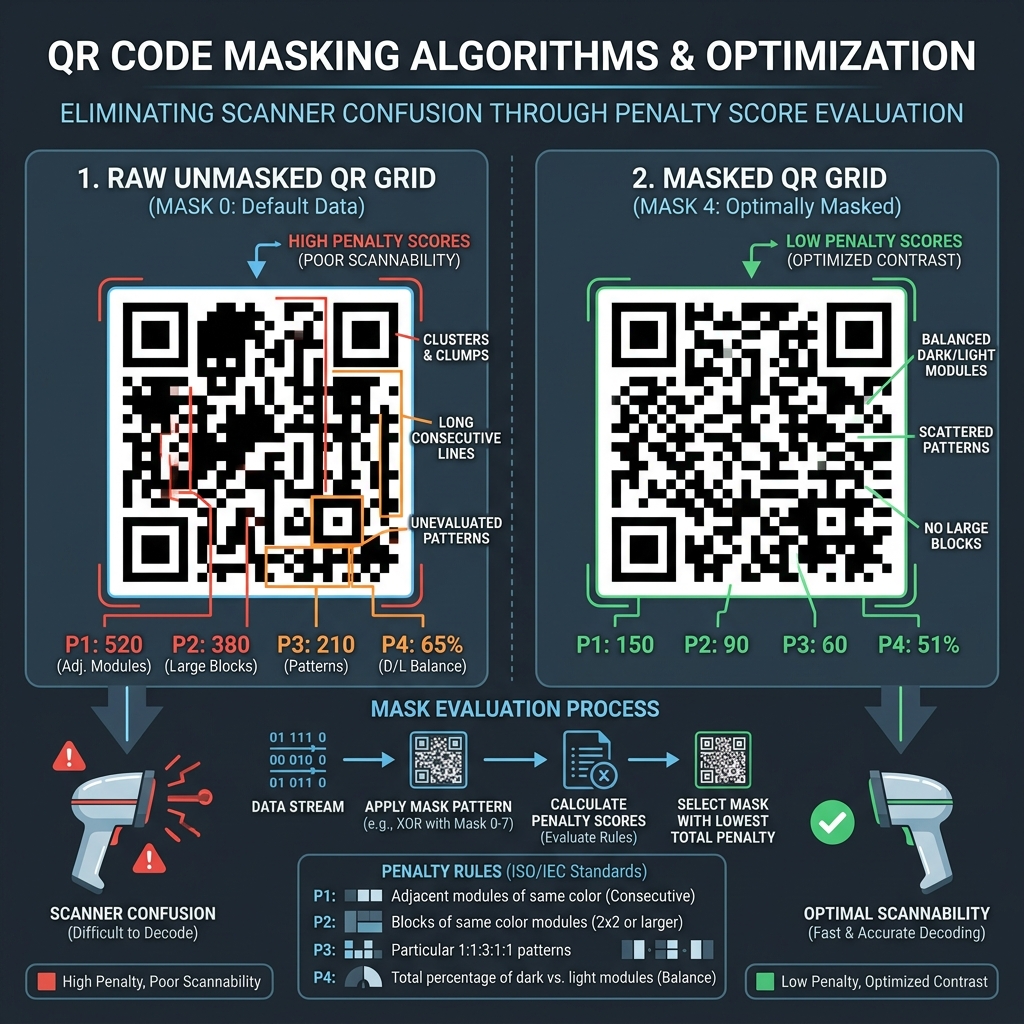
📊 QR Code Scannability Comparison Reference
Below is a scannability infographic demonstrating how reflection differences affect sensor readings on a raw grid versus an optimized contrast layout:
🎨 Key Color Contrast Design Rules
When styling custom codes:
- Dark Foreground, Light Background: Traditional scanners expect dark modules on a light background. While inverted codes (light modules on a dark background) are supported by modern smartphones, legacy laser scanners and retail terminal imagers cannot decode them.
- Avoid Gradient Bleed: Ensure that custom gradients do not fade into the background color at any point in the grid.
- Keep Data Densities Low: Shorten urls using a Campaign UTM Generator first, then shorten the link. (See QR Code Naming & Campaign Tracking Guide for details).
- (Read our QR Code Contrast Customization Guide or review our QR Code Quiet Zones Guide).
- Create Custom QR Codes: Paste your link into our browser-based Custom QR Code Generator to select error correction levels and compile clean, scannable files.
Join the Urbandigistore Hub
Subscribe to receive premium developer cheat sheets, advanced conversion techniques, and campaign optimization checklists. Zero spam, unsubscribe anytime.
🚀 Launch Interactive Tool
Ready to test this directly? Open the secure web tool in a new sandbox tab.